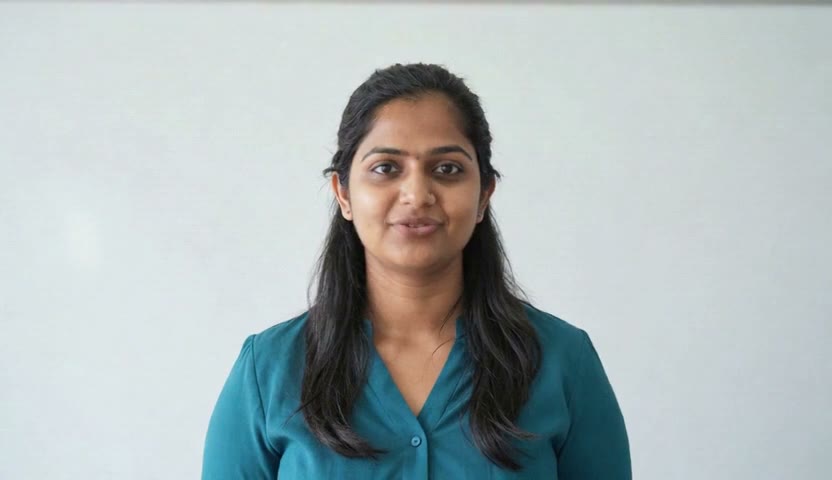
Amelia
Course welcome“Welcome to your course. Over the next few weeks you will build practical skills you can use from day one.”
Presenters
Every clip is real output from CAQA Avatar, exactly as it was made. Each presenter was drawn from one sentence of description and given an Australian voice.
“Welcome to your course. Over the next few weeks you will build practical skills you can use from day one.”
“In this lesson we look at how to identify hazards in your workplace, and what to do about them.”
“Your assessment opens on Monday. Read the instructions carefully, and ask your trainer if anything is unclear.”
“Before you step on site, check your protective equipment. If something is damaged, report it straight away.”
“If you need a hand at any point, student support is here from nine to five, Monday to Friday.”
“We have updated our student handbook. The key changes are explained in the next two minutes.”
“Hand hygiene is the simplest way to protect the people in your care. Let us walk through the five moments together.”
“Good leaders listen first. In this module you will practise giving feedback that people can act on.”
“Welcome to orientation week. Here is everything you need to know before your first class.”
“A clear budget starts with three numbers. What comes in, what goes out, and what is left over.”
“Every customer wants to feel heard. Start by repeating their concern back in your own words.”
“Short on time this week? Try twenty minutes of study a day, and tick off one small task each time.”
“Person centred care begins with a simple question. What matters most to you today?”
“You are further along than you think. Keep going, and ask for help as soon as you need it.”
“A strong password is long, unique and easy for you to remember. Let me show you how to build one.”
“Great service starts before the guest sits down. Greet them within thirty seconds, every time.”
“Measure twice and cut once. Check your drawings against the site before you start any job.”
“Children learn best through play. Today we look at how to plan an activity around a child's interests.”
“Our privacy policy has changed. Please read the summary and complete the short quiz by Friday.”
Presenter names are library names, not the names of real people. No presenter on this page shows a real person. Nothing was edited after the studio made each clip.
Three ways to make an avatar
Start with whatever you have. A written description needs nobody at all. A photo or a recording brings your own people to the screen.
Describe a presenter who does not exist: age, look, clothes and setting. Four options are drawn and you keep the ones you like.
No permission neededOne clear photo facing the camera is enough. It becomes a presenter who can say any script you write.
Permission recorded firstA short video of a person talking gives the avatar their face and their voice, so it looks and sounds like them.
Permission recorded firstReal people, real permission
An avatar can look and sound like one of your trainers. That is only right when they have agreed, and when they can change their mind.
Book a 20 minute demo. Bring a paragraph from one of your courses and choose a presenter. We will send you the finished video.