How it works
From script to presenter video in four steps.
You bring the words and choose the presenter. The studio does the filming.
- 1
Choose the presenter
Pick from the library, or add a new one from a description, a photo or a short recording.
- 2
Write what they say
Type or paste the script and choose a voice. Australian library voices and your own people's voices are both available. Or supply a recording of the words.
- 3
Choose how it looks
Wide, tall or square. Natural, warm, explaining with gestures, energetic or serious. Captions on or off.
- 4
Download the video
A finished MP4 with clear sound and a captions file. Not happy with the performance? Ask for another take.
Three ways to make an avatar
From a sentence, a photo, or a short recording.
Start with whatever you have. A written description needs nobody at all. A photo or a recording brings your own people to the screen.
From a description
Describe a presenter who does not exist: age, look, clothes and setting. Four options are drawn and you keep the ones you like.
No permission neededFrom one photo
One clear photo facing the camera is enough. It becomes a presenter who can say any script you write.
Permission recorded firstFrom a short recording
A short video of a person talking gives the avatar their face and their voice, so it looks and sounds like them.
Permission recorded first





A good photo
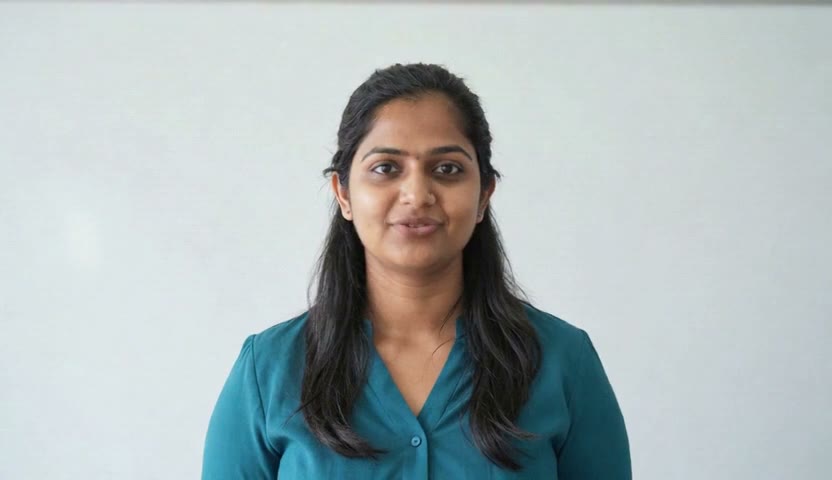
Three things make a better avatar.
One photo is enough. These make it a good one.
- 01
Face the camera
Eyes to the lens, head level, the whole face in view. A slight smile with the mouth closed works best.
- 02
Light the face evenly
Stand facing a window or a soft light. Avoid strong shadows and bright windows behind the person.
- 03
Leave some room
Head and shoulders or chest up, with a little space above the head. Very tight crops leave no room to move.
What you need
Less than you might expect.
- A script, or a recording of the words
- For a presenter who does not exist: a sentence describing them
- For one of your own people: one clear photo or a short video, and their permission
- Nothing to install and no camera to book
See your own script on screen.
Book a 20 minute demo. Bring a paragraph from one of your courses and choose a presenter. We will send you the finished video.